 6715f4629c
* utils/errors: Add `ToAnyhow` trait for converting `Result` types that don't satisfy `anyhow`s trait constraints (`Display + Send + Sync + 'static`) conveniently. An example of such a Result is the `SendError` returned from `send_to_plugins`, which sends `PluginInstruction`s as message type. One of the enum variants can contain a `mpsc::Sender`, which is `!Sync` and hence makes the whole `SendError` be `!Sync` in this case. Add an implementation for this case that takes the message and converts it into an error containing the message formatted as string, with the additional `ErrorContext` as anyhow context. * server/tab: Remove calls to `unwrap()` and apply error reporting via `anyhow` instead. Make all relevant functions return `Result`s where previously a panic could occur and attach error context. * server/screen: Modify `update_tab!` to accept an optional 4th parameter, a literal "?". If present, this will append a `?` to the given closure verbatim to handle/propagate errors from within the generated macro code. * server/screen: Handle new `Result`s from `Tab` and apply appropriate error context and propagate errors further up. * server/tab/unit: `unwrap` on new `Result`s * server/unit: Unwrap `Results` in screen tests * server/tab: Better message for ad-hoc errors created with `anyhow!`. Since these errors don't have an underlying cause, we describe the cause in the macro instead and then attach the error context as usual before `?`ing the error back up. * utils/cargo: Activate `anyhow`s "backtrace" feature to capture error backtraces at the error origins (i.e. where we first receive an error and convert it to a `anyhow::Error`). Since we propagate error back up the call stack now, the place where we `unwrap` on errors doesn't match the place where the error originated. Hence, the callstack, too, is quite misleading since it contains barely any references of the functions that triggered the error. As a consequence, we have 2 backtraces now when zellij crashes: One from `anyhow` (that is implicitly attached to anyhows error reports), and one from the custom panic handler (which is displayed through `miette`). * utils/errors: Separate stack traces in the output of miette. Since we record backtraces with `anyhow` now, we end up having two backtraces in the output: One from the `anyhow` error and one from the actual call to `panic`. Adds a comment explaining the situation and another "section" to the error output of miette: We print the backtrace from anyhow as "Stack backtrace", and the output from the panic handler as "Panic backtrace". We keep both for the (hopefully unlikely) case that the anyhow backtrace isn't existent, so we still have at least something to work with. * server/screen: Remove calls to `fatal` and leave the `panic`ing to the calling function instead. * server/screen: Remove needless macro which extended `active_tab!` by passing the client IDs to the closure. However, this isn't necessary because closures capture their environment already, and the client_id needn't be mutable. * server/screen: Handle unused result * server/screen: Reintroduce arcane macro that defaults to some default client_id if it isn't valid (e.g. when the ScreenInstruction is sent via CLI). * server/tab/unit: Unwrap new results |
||
|---|---|---|
| .cargo | ||
| .github | ||
| .nix | ||
| assets | ||
| default-plugins | ||
| docs | ||
| example | ||
| src | ||
| zellij-client | ||
| zellij-server | ||
| zellij-tile | ||
| zellij-tile-utils | ||
| zellij-utils | ||
| .editorconfig | ||
| .envrc | ||
| .git-blame-ignore-revs | ||
| .gitignore | ||
| .rustfmt.toml | ||
| Cargo.lock | ||
| Cargo.toml | ||
| CHANGELOG.md | ||
| CODE_OF_CONDUCT.md | ||
| CONTRIBUTING.md | ||
| docker-compose.yml | ||
| flake.lock | ||
| flake.nix | ||
| GOVERNANCE.md | ||
| LICENSE.md | ||
| Makefile.toml | ||
| README.md | ||
| rust-toolchain.toml | ||
| treefmt.toml | ||

Zellij




[Installation] [Overview] [Configuration] [Templates] [FAQ]
What is this?
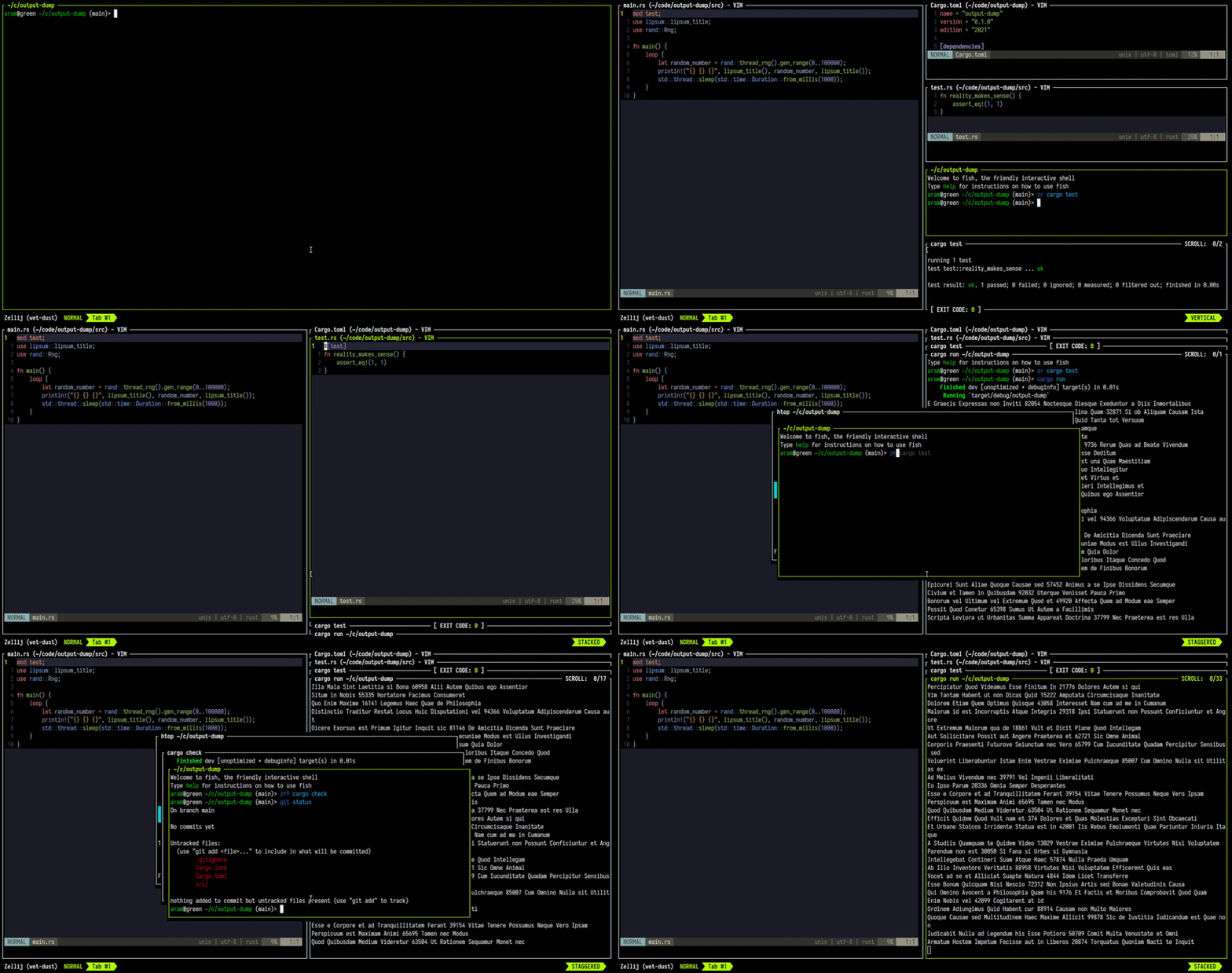
Zellij is a workspace aimed at developers, ops-oriented people and anyone who loves the terminal. At its core, it is a terminal multiplexer (similar to tmux and screen), but this is merely its infrastructure layer.
Zellij includes a layout system, and a plugin system allowing one to create plugins in any language that compiles to WebAssembly.
You can get started by installing Zellij and reading the overview.
For more details about our future plans, read about upcoming features in our roadmap.
Zellij was initially called "Mosaic".
How do I install it?
You can install with cargo:
cargo install --locked zellij
Or if want to a prebuilt binary, you can download it from our Releases, or use cargo-binstall.
cargo-binstall zellij
Or you can also use Third Party Repositories.
Try Zellij without installing
bash/zsh:
bash <(curl -L zellij.dev/launch)
fish:
bash (curl -L zellij.dev/launch | psub)
How do I get involved?
Zellij is a labour of love built by an enthusiastic team of volunteers. We eagerly welcome anyone who would like to join us, regardless of experience level, so long as they adhere to our code of conduct.
Please report any code of conduct violations to aram@poor.dev
To get started, you can:
- Take a look at the "Issues" in this repository - especially those marked "Good first issue". Those with the "Help Wanted" tag probably don't have anyone else working on them.
- Drop by our discord, or matrix chat and ask what you can work on, or how to get started.
- Open an issue with your idea(s) for the project or tell us about them in our chat.
How do I start a development environment?
- Clone the project
- Install cargo-make with
cargo install --locked --force cargo-make - In the project folder, for debug builds run:
cargo make run - To run all tests:
cargo make test
For more build commands, see Contributing.md.
Configuration
For configuring Zellij, please see the Configuration documentation.
What is the current status of the project?
Zellij should be ready for everyday use, but it's still classified as a beta. This means that there might be a rare crash or wrong behaviour here and there, but that once found it should be fixed rather quickly. If this happens to you, we would be very happy if you could open an issue and tell us how to reproduce it as best you can.
Roadmap
Presented here is the project roadmap, divided into three main sections.
These are issues that are either being actively worked on or are planned for the near future.
If you'll click on the image, you'll be led to an SVG version of it on the website where you can directly click on every issue

License
MIT